How to Improve Your Work Process With AI
CAREER
Asking AI Team
7/1/20267 min read


Why Daily Work Processes Are Where AI Delivers Most
It's tempting to think of AI as something reserved for big strategic moves — market analysis, product launches, business planning. And yes, it's useful there too. But the highest return on investment? It's in your daily workflow.
Here's why: repetitive tasks are expensive. They don't feel expensive because they're familiar, but when you add up the time your team spends drafting routine emails, summarizing meeting notes, formatting reports, or searching for information they've already found before — it compounds fast. McKinsey estimates that generative AI could automate up to 70% of tasks that currently take up employees' time.
The mindset shift worth making is this: stop thinking of AI as a project to launch and start treating it as a permanent layer in how work gets done. Not a one-time efficiency audit — a daily habit. That's where the compounding effect kicks in.
The Daily Work Areas Where AI Adds the Most Value
Communication and Email Management
Writing emails takes up a disproportionate amount of the workday. AI tools can draft, refine, and reformat messages in seconds — whether you're replying to a client complaint, writing a proposal follow-up, or sending a team update. You provide the intent; AI handles the wording.
Meeting Preparation and Follow-Up
Before a meeting, AI can help you build an agenda, generate questions, and summarize background material. After it, tools like Otter.ai or Fireflies can transcribe and summarize discussions, pull out action items, and even assign next steps. That's time that used to disappear into note-taking — now it goes back into actual work.
Content and Document Creation
From internal reports to client-facing documents, AI dramatically cuts the time it takes to go from a blank page to a first draft. It won't write your final document for you, but it'll get you 60–70% of the way there with something you can actually edit — which is far easier than starting from nothing.
Research and Competitive Analysis
AI tools are genuinely useful for synthesizing large amounts of information quickly. Need a summary of a competitor's positioning? A breakdown of a new regulation that affects your industry? A list of questions to ask before a vendor negotiation? AI can surface what you need to know faster than a manual search — just always verify key facts independently.
Scheduling and Task Management
AI-powered tools like Motion and Reclaim can automatically schedule tasks around your calendar, protect focus time, and reschedule when priorities shift. For team leaders managing multiple direct reports, this kind of intelligent prioritization can make a real difference in what actually gets done each week.
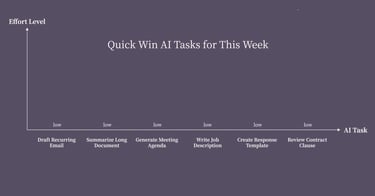
Quick Win AI Tasks to Start This Week
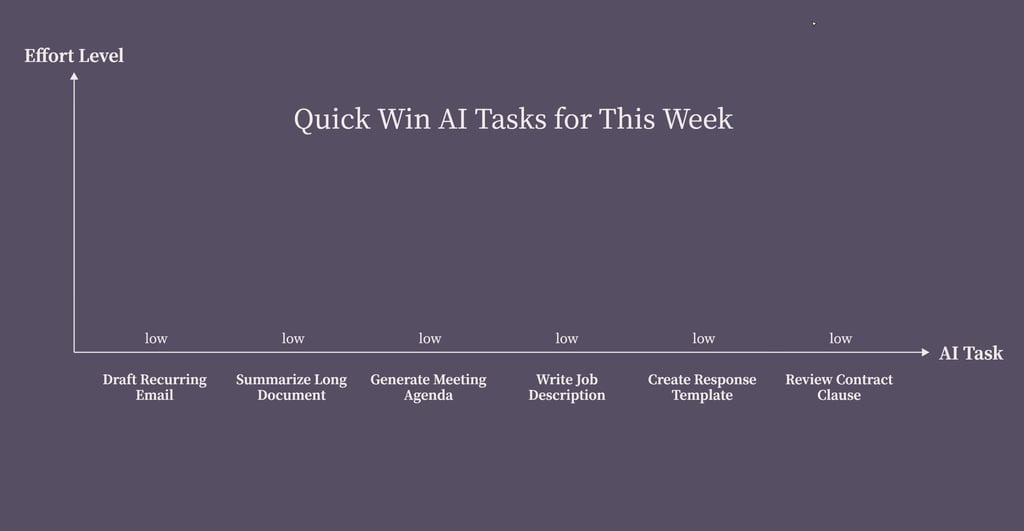
Not sure where to begin? Try these low-effort, high-return starting points:
Draft a recurring email you send manually (status updates, client check-ins, weekly recaps)
Summarize a long document or report you've been putting off reading
Generate an agenda for your next team meeting using a simple prompt
Write a job description for a role you're about to hire for
Create a response template for a customer question your team answers repeatedly
Ask AI to review a contract clause or vendor proposal before your next meeting
None of these require new software or a big rollout. They just require opening a tool and trying.
TL;DR:
AI isn't just a buzzword — it's a practical, accessible tool that can genuinely transform how you and your team get things done every day. Here's where to start.
Most employers and team leaders have heard the pitch for AI. You get it. But knowing about AI and actually using it to improve your work process are two very different things. The first requires reading an article. The second requires a plan.
This guide is the plan. We'll walk through where AI delivers the most daily value, how to introduce it without throwing your team into chaos, and how to know when you're genuinely ready to get started.
How to Improve Working Processes With AI Without Disrupting Your Team
The biggest rollout mistakes tend to look the same: tools introduced from the top down, no buy-in from the people actually doing the work, unclear expectations, and no way to measure whether anything changed.
Here's a better approach.
Start small. Pick one workflow, one team, one use case. Prove it out before you scale it. A focused pilot is far more instructive than a broad rollout with mixed signals.
Get your team's input early. Ask the people closest to the work which tasks they find most repetitive or time-consuming. They'll surface better use cases than you will from a distance — and they'll be more willing to adopt tools they helped choose.
Set clear expectations. AI-generated output still needs a human in the loop. Make it clear that the standard for final output hasn't changed — only the process for getting there has.
Build a simple internal guide. Even a one-page document covering approved tools, what they can be used for, and what to avoid goes a long way. It reduces confusion and signals that this is a structured initiative, not an experiment.
Run a two-week pilot. Two weeks is enough time to see whether a tool is genuinely saving time or creating new friction. Check in with your team at the end of the first week — don't wait until it's over.
Measure the right things. Time saved per task, output quality, team adoption rate, and error reduction are all worth tracking. Don't just ask "do people like it?" — ask whether it's producing better results faster.
Choosing the Right AI Tools for Your Daily Workflows
There's no shortage of AI tools on the market, which makes choosing feel harder than it is. The simplest approach: match the tool to the workflow, not the other way around.
What Holds Most Employers Back — And Why It Shouldn't
Fear tends to cluster around a few predictable concerns. Let's be honest about each of them.
"AI will replace my team." For most business functions, AI replaces tasks, not people. The jobs that hold up are the ones requiring judgment, relationships, and context — the things your best people already do well. What AI removes is the low-value admin that was slowing them down.
"It's too complicated to set up." Most modern AI tools require no technical background. If you can write an email, you can use ChatGPT, Claude, or any number of workflow-integrated tools. The learning curve is genuinely shallow.
"The output quality isn't good enough." That depends on how you use it. A vague prompt gets a vague output. A well-framed prompt — with context, constraints, and a clear goal — gets something you can actually use. Output quality improves quickly once you get a feel for how to ask.
"I'm worried about data privacy." This is a legitimate concern, not a fear to dismiss. Most enterprise-grade AI tools offer data controls, and you should review their policies carefully before feeding in sensitive business information. The answer isn't to avoid AI — it's to use it thoughtfully.
The real risk isn't using AI. According to a 2024 Microsoft and LinkedIn Work Trend Index, 79% of leaders acknowledge they need to adopt AI to stay competitive, but 59% of them worry they lack a clear strategy to do it. That's the gap worth closing: not whether to use AI, but how to build a framework for doing it well.
A few practical notes: most of these have free tiers worth testing before you commit. And for small businesses, starting with one general-purpose tool — like ChatGPT or Claude — covers a surprising range of use cases before you need anything more specialized.
How to Know You're Ready — and How to Measure Success
You don't need to have everything figured out before you start. But there are signs you're in a good position to move forward.
Signs you're ready:
You can name at least two or three repetitive tasks that eat up team time regularly
You're open to adjusting workflows based on what you learn
You have at least one person willing to champion the initiative internally
Signs to wait:
Your core processes aren't documented yet (AI amplifies good processes — it doesn't fix broken ones)
Your team is already stretched and can't absorb a change right now
You haven't thought through how you'll handle data that shouldn't go into a public AI tool
What to measure in the first 90 days:
Time saved per use case (even rough estimates are useful)
Quality of AI-assisted output vs. manual output
Team adoption rate across the pilot group
Any new friction points introduced by the tools
After 90 days, you'll have enough signal to decide what to scale, what to drop, and where to look next. That decision will be grounded in real data — not assumptions.
AI Works When You Do
The teams seeing the best results with AI for daily workflows aren't the ones who adopted the most tools. They're the ones who chose a few use cases deliberately, gave their people room to learn, and adjusted based on what they found.
There's no perfect moment to start — there's just starting. Pick one task from the quick-win list above, spend 20 minutes with an AI tool, and see what you get. Employers and entrepreneurs who build this habit now will find themselves with a genuine advantage as the tools keep getting better.
If you want to go deeper on how AI can support bigger business decisions — not just daily operations — the team at Asking AI covers exactly that. It's a useful next step once your daily workflows are running smoothly.
How to Improve Your Work Process With AI FAQs
Which daily work processes should I start improving with AI first?
Start with your most repetitive, time-consuming tasks — routine emails, meeting summaries, and first drafts of documents are all strong candidates. These deliver fast, visible results with minimal disruption.
How long does it take to see real productivity gains from AI in the workplace?
Most teams see meaningful time savings within the first two to four weeks of consistent use. The key is consistency — occasional use produces occasional results.
Is it safe to use AI tools for sensitive business processes?
It depends on the tool and what you're sharing. Review the data policies of any tool before using it with confidential information. Enterprise plans typically offer stronger privacy controls than free tiers.
How do I get my team on board with using AI in our daily workflows?
Involve them early. Ask what tasks they'd most like to spend less time on, let them help choose the tools, and make the initial ask small. Adoption improves when people feel like participants, not recipients.
What's the difference between using AI occasionally and truly improving my work process with AI?
Occasional use is ad hoc — you think of AI when a task feels hard. Improving your process means AI is built into how specific workflows run, consistently, with clear expectations and measurable outcomes.
Which AI tools are best for small business daily operations?
ChatGPT or Claude cover a wide range of writing and research tasks. For meetings, Otter.ai is a solid starting point. For scheduling, Reclaim.ai is worth trying. Start with one and add from there.